

Golden goodness. Ads ManagerGive your idea a little reach From one idea to a whole marketing toolkit.
Make more in less time.
Give AMI an idea. Create images and videos, plan social posts, and run ad campaigns in one place.


Check your website health, ease of use, SEO, AEO, and GEO, then get a list of what to fix first.
All you need is your website URL.
Get my free report78/100
All you need is your website URL.
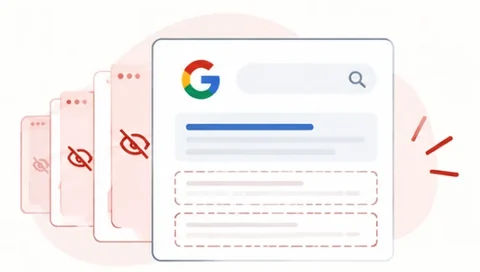
Get my free reportNeeds attention: 7 of 14 pages hidden from Google
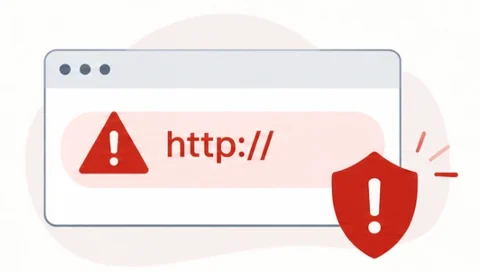
Needs attention: 1 page not secure
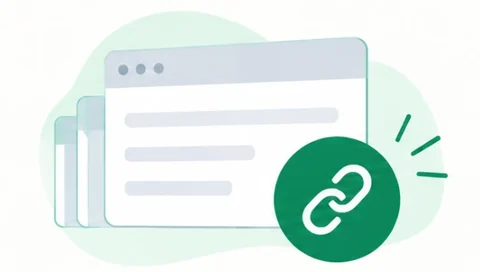
Passed: No broken links
Rather watch? AMI can do this one for you.
Give AMI an idea. Create images and videos, plan social posts, and run ad campaigns in one place.
Manage connected accounts, client workspaces, and team seats. Tailor each business’s Client Statement with your markup and adjustments.
Connect spend to outcomes, review website and search health, and understand traffic. Let’s shape pricing, features, and integrations around your needs.
discover(tool)Ready02request → HTTP 402Payment required03pay → retry requestVerified04receive(result)Complete ✓
x402USDC on BaseAPI + MCPYour choice of transport
Put AdPrompt’s marketing engines inside your apps and agents. Call an API or MCP tool, pay with x402, and get a reusable result.
$0
per monthper year
Meet AMI, make your first creative, and try your marketing toolkit.
Your first workspace starts here.
Start free$149$1,500
per monthper year, billed yearly Save $288
Create more with AMI+, advanced editing, and a library of ready-to-use templates.
Explore Growth free for two weeks.
Try GrowthFrom $1,999$20,000
per month · scope-based serviceper year · scope-based service Save $3,988
Our team handles all of your marketing and advertising, as much of it as you need.
Tell us your goals. We’ll shape the scope.
Start a conversationChoose 50 media credits, 10 pro-video seconds, or 5 analyses. Free plans can top up media credits.
Add a user seat.
Add a landing-page slot with 1 AI generation a month, or 10 GB of storage.
Growing into another business? Add a business to Growth for $100/month, with its own allowance, 1 seat, and 10 GB of storage.
Ad spend is billed separately across all plans.
Media credits cover images or standard-video seconds. Pro-video seconds and analyses have separate allowances. Storage is a total quota per business; one-time boosts are separate. Monthly add-ons are for Growth and Partner. The 14-day Growth trial needs a credit card.
$199$2,000
per month · first businessper year · first business Save $388
Everything in Growth, with more capacity and control for every client business.
Your clients. Their own workspaces.
Start Partner+$499 / business / month
Follow ad spend from the first click to leads and revenue with end-to-end attribution. Includes up to 4 full website health checks a month, each running all 111 checks, to find technical issues and visibility gaps. In early access, by approval.
Learn moreYour ads
What they bring in
+$149 / month
Every Partner business gets 250 media credits, 60 pro-video seconds, 10 analyses, 3 live landing pages and 5 landing-page generations a month, plus 25 GB of storage. Each added business includes 1 seat.
Separate businesses, shared operational control, and clear per-business allowances.
Media credits cover images or standard-video seconds. Storage is per business and does not reset monthly. Client Statements support your client billing workflow.
Let’s talk.
Shape pricing, allowances, features, and integrations around the way your team works.
Custom businesses, users, seats, and volume allowances.
Connect ad spend to outcomes across selected businesses.
Review your website and search health with relevant checks.
Configure reporting and billing for your operation.
Get support connecting your systems and bringing teams onboard.
Agree on approval workflows and optional white-glove delivery.
Enterprise terms, allowances, storage, and services are agreed separately. Media spend is billed separately.
x402 · Pay per use
Use AdPrompt through APIs or MCP. Pay per call with USDC on Base, and reuse saved business profiles at no extra profile reuse charge.
Your website, distilled into a reusable business profile, brand kit, and audit.
Find positioning opportunities, messaging gaps, and ways to stand out.
Review your social presence with prioritized actions for each platform.
Get recommended channels, audiences, creative angles, and budget allocation.
Turn your creative brief into one branded campaign image.
Explore three logo concepts in your chosen style.
Generate a campaign video in your chosen style and aspect ratio.
Get content ideas grounded in your brand and objective.
Find brand palettes with color roles and a clear rationale.
x402 usage Pay per tool call or package with USDC on Base. Review the current price in the developer console.
A fresh Brand Scan, competitive analysis, social presence plan, and color palettes.
A fresh Brand Scan, logo concepts, palettes, competitive analysis, and content ideas.
A platform-sized image, ready caption, and hashtags.
A platform-sized 8-second video, ready caption, and hashtags.
Channel strategy and budget allocation, with an ad image for each recommended platform.
A fresh Brand Scan, campaign strategy, platform ad images, and two 8-second videos.
Listed tool and package prices are a snapshot of the public x402 catalog. Open an option to review its inputs and current price in the developer console.
Create content, launch campaigns, and measure what happens next.
30 practical features1 workspace · Create, launch, measurePlus 5 with AdPrompt 360Choose a group to see what you can put to work.
Ask product and marketing questions, prepare work, and find the right workflow.
Turn recommendations into prioritized, trackable next actions for your business.
Keep business details, services, audiences, locations, website, and marketing context together.
Keep logos, colors, fonts, brand personality, and messaging preferences consistent.
Upload, organize, generate, edit, transform, and resize images and videos for your brand.
Refine your creative and adapt it for different formats and placements.
Understand your positioning, identity, and online presence before your next campaign.
Build practical plans around goals, audiences, budgets, messaging, and channels.
Shape a consistent presence around your brand, audience, and publishing goals.
Explore coordinated colors for consistent branding across your marketing.
Find fresh starting points for content and your next campaign.
Discover timely ideas shaped by your business, location, and season.
Create platform-specific social posts with captions, hashtags, creative, and drafts, then schedule or publish.
Create and manage campaigns, budgets, objectives, audiences, creative, and platform allocation.
Plan campaigns across search, social, display, video, and ChatGPT ad channels.
See scheduled social posts and campaign activity together over time.
Review messages and comments, prepare replies, and shape response rules for connected channels.
Set campaign budgets and turn eligible posts into approved paid promotions.
Report on advertising, social, CRM, and lead results for your team.
Run marketing and social, advertising, website and search, competition, and brand analyses to guide your next move.
On Growth and Partner, run 51 checks across SEO, AEO, and GEO whenever you want. Each run uses 1 analysis.
Compare your positioning with competitor signals to guide your next move.
Every new business with a website gets a free 80-check report covering search, AI answers, its Google listing, speed, safety, and more.
Generate, edit, preview, publish, and measure branded landing pages with lead capture forms.
Add AdPrompt tracking to the links in your ads, boosts, and posts, then see the visits, leads, and conversions they bring.
Manage businesses, workspaces, members, administrators, seats, roles, permissions, and settings from one place.
On Partner, customize billing details, allocations, and adjustments, then export PDF or CSV.
Manage the shared balance that supports your advertising activity.
Connect social accounts, ad accounts, CRMs, and tracking pixels in one place.
Share your referral link and track the progress of invited businesses.
Connect ads to traffic, leads, customer journeys, appointments, and revenue, with all 111 website checks every week.
Understand customer review themes and sentiment behind your reputation.
Inspect the sources and signals behind human, automated, and uncertain visits.
Follow connected touchpoints from first interaction through leads and later outcomes.
Explore website activity patterns to understand where visitors interact.
Build creative. Launch campaigns. Follow the results.
See the main toolsSpecialist AI, marketing logic, and automation built for the job.
29 dedicated engines6 AI models · 9 AI techniques15 image and 6 video modelsYour marketing assistant brings business context into ideas, drafts, insights, and guided actions across AdPrompt.
Specialist tools for business analysis, campaign planning, content, creative, and website audits.
Rules, heuristics, scoring, and checks work alongside AI to guide recommendations and review results.
Automate preparation and scheduling workflows, then connect marketing activity to spend, leads, and revenue.
6 AI models for language, vision, and embeddings work with 9 techniques: structured outputs, few-shot examples, document-grounded answers, semantic matching, image understanding, rules and scoring, second-model review, automatic fallbacks, and safety screening. Creative work can use 15 image and 6 video generation models.
Orchestration coordinates the work, with protected inputs and reviewed outputs.
From preparation to execution, you stay in control of publishing, scheduling, account connections, and spend.
Explore six specialist areas built around real marketing tasks.
Turn your website, social profiles, or business details into useful brand context.
Identify relevant categories and related markets for your business.
Understand competing brands and find opportunities to stand out.
Review your website and social channels, then prioritize practical improvements.
Spot gaps across ads, social, website activity, and budgets to guide your next move.
Score a lead hot, warm, or cold, with what they want and the next step to take.
Compare suitable channels and recommended spending around your goals and budget.
Turn your goals, budget, and business context into a clear campaign plan.
Check an ad against its platform’s text limits and policies before launch.
Find fresh marketing ideas and visual directions shaped by your business.
Draft channel-specific copy for ads, social, websites, email, blogs, search, and video.
Turn a rough prompt into a clearer brief for text, images, or video.
Sort reviews, comments, and messages, then draft replies in your voice for you to approve.
Understand your existing colors or create a coordinated brand palette.
Create and refine images, or explore logo packages for your brand.
Compare images and choose creative that fits your marketing goals.
Plan and create short marketing videos from your ideas.
Evaluate video creative and compare options to guide your next improvements.
Find suitable templates and turn them into branded content.
Fill page templates with your business content and branding, ready to edit.
Build and edit template pages with suggested fields and images, then check the facts against your business.
Build multi-page websites from reviewed templates, then refine them with guided edits.
Draft, rewrite, and summarize information across connected workflows.
Find answers and useful summaries based on the documents you provide.
Help connected workflows find related information and more relevant matches.
Read files and scans, then suggest grounded updates to your records.
Flag important messages and draft editable replies and record updates.
Turn website checks into clear findings and practical next steps.
Give important findings a second review for a clearer website health report.
Bring available marketing tools into your own apps and agents.
Explore MCP toolsConnect tools to create content, run campaigns, and measure outcomes.
77 connection options6 groups · 1 connected hubPlus 14 with AdPrompt 360Your channels, business tools, and creative providers in one hub. Hover, focus, or tap a logo to explore.
Choose a model or let AdPrompt pick one. Some models need Growth or Partner.
I help you plan and launch campaigns, create and post content, analyze results and bring your marketing and advertising together. Tell me what you want to achieve, and we’ll start there.
Explore the toolkitFirst, bulk upload or create images and videos in the Asset Studio. Then, publish social media content with Social Studio, or launch and manage campaigns in Ads Manager.
See the tools in actionNo. Nothing is spent without your approval. You set the budget and approve each campaign before it goes live, and I never start or increase ad spend on my own.
See Ads ManagerYes! Try the Free plan with one business, one seat, and 20 monthly media credits. If you need more than that, Growth gives you more capacity and a two-week free trial.
Explore your plansAd spend is not included. Your advertising budget is billed separately on every plan. Your subscription only covers the tools and allowances listed in your plan.
Compare plans and allowancesYes! You can organize your clients in business workspaces, with connected accounts and seats for your team. You can add on new client businesses, user seats, media credits and more if you run out of what your plan offers.
Explore Partner plansAdPrompt 360 gives you end-to-end attribution so you can see where your advertising money actually goes.
Explore AdPrompt 360The AdPrompt team has a managed service option that handles strategy, creative, campaigns, and ongoing optimization. You approve key actions, while I work alongside our team.
See White GloveMedia credits cover images or standard-video seconds. Pro-video and analyses have separate allowances. Storage is your total quota per business and does not reset monthly.
See plans and allowancesYes, you can connect your applications or agents through API or MCP, and access marketing tools with x402 pay-per-use payments. Explore the developer console for current tools and prices.
Open the developer consoleNo, AdPrompt is designed to make professional marketing and advertising easier to execute, even if you’re not an expert. I will be there to guide you through creating content, building campaigns, selecting audiences, and launching advertising.
See the tools in actionAdPrompt scours the internet and analyzes your brand using your website URL. You can also manually add details into the platform within the Control Hub.
See Control HubYes, you remain in control of what gets published, where your campaigns run, and how much you want to spend. AdPrompt helps simplify the work without taking control away from you.
See Ads ManagerStart by entering your website URL. AdPrompt will search the internet for your brand’s assets and information, then set up your profile.
Launch AdPrompt

Founder, CEO
An entrepreneur building practical marketing tools for small businesses, with a background in advertising technology and blockchain-based trust systems.
LinkedIn @kenbrook
Co-founder, CTO
Leads AdPrompt's architecture and AI engines, bringing a Waterloo PhD and experience in secure, scalable systems and blockchain research.
LinkedIn @behkishnz
VP, Business Development
Connects business owners with practical ways to grow, bringing founding-team experience at JobNimbus and a focus on customer needs.
LinkedIn @jake-dempsey-jn
Growth Agent
Part of AdPrompt's growth team, helping businesses explore the platform and take their next step with marketing.
LinkedIn @josephmjarvis
Head of Media and Marketing
Leads media and marketing, shaping how AdPrompt shares its story and connects with its audience.
LinkedIn @nicolejordanla
Account Executive
Helps businesses find the right AdPrompt tools and plan for their next stage of growth.
LinkedIn @ryan-rehm-730450381
Account Executive
Works with businesses to understand their goals and get started with AdPrompt.
LinkedIn @laurengroshong1204
QA Automation Engineer
Builds automated checks that help keep AdPrompt reliable as the platform evolves.
LinkedIn @brennen-ellison-6b4619222
Automation teammate
Automation Assistant
Our dedicated assistant for day-to-day automations, keeping routine work moving.
AdPrompt automation teammate
Questions about AdPrompt, a partnership, or your next campaign? We’re here to help.
Based in Boise, Idaho